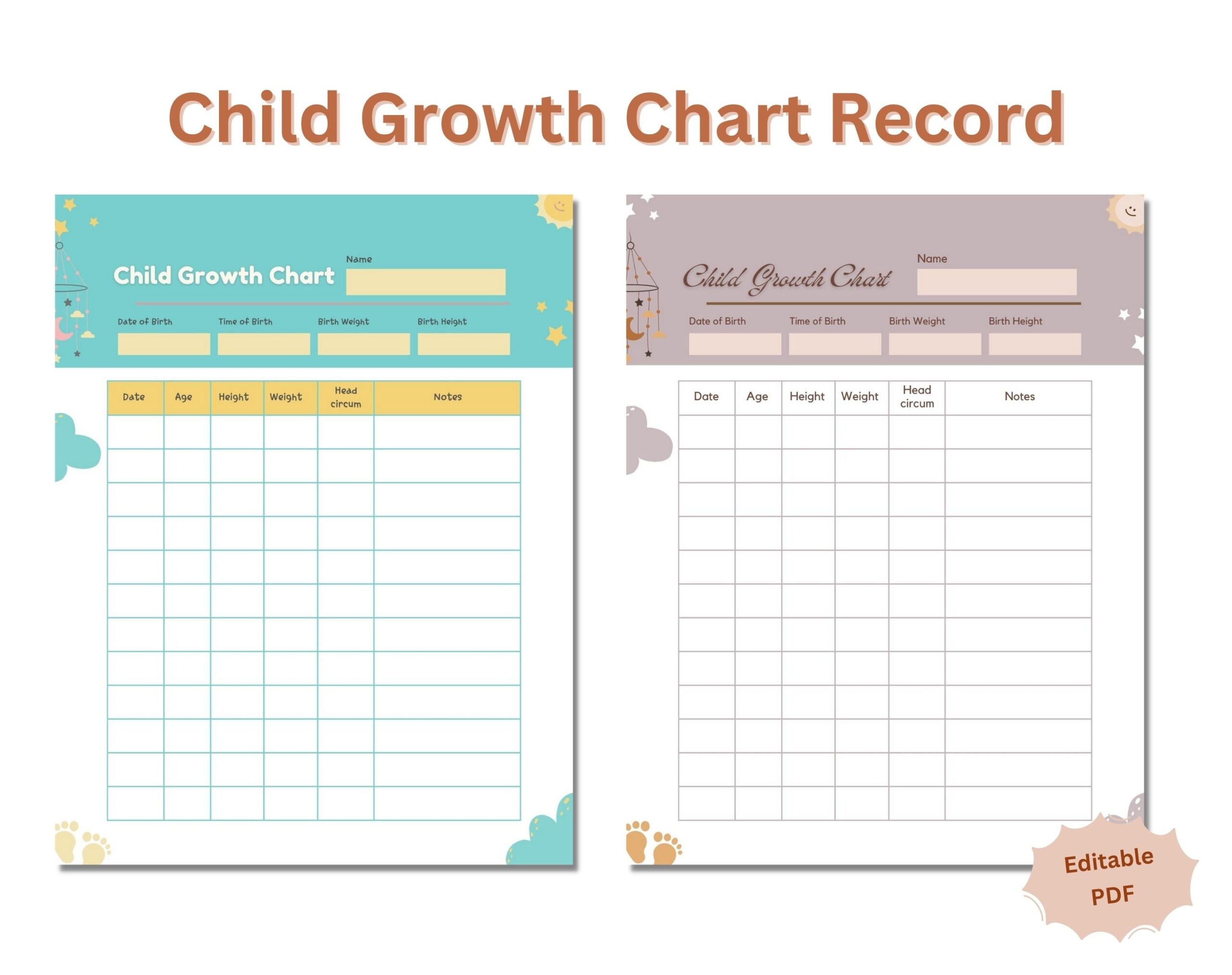
Every parent wants to ensure their baby is growing at a healthy rate. Tracking weight is crucial in monitoring your child’s development, but it can be challenging to keep everything organized. That’s where the Customizable Weight Chart Baby Printable comes in. This handy tool allows you to effortlessly track your baby’s weight over time, making it easier to discuss growth patterns during pediatric appointments.
Choosing the Right Printable Weight Chart
When selecting a weight chart, consider what features will best suit your needs. The customizable weight chart allows you to input your baby’s name, age, and even specific growth milestones. This personalization helps you keep a clear record of your child’s unique journey.
Most printable charts come in PDF format, ensuring that you can print them easily without any formatting issues. Look for options that are designed to fit standard paper sizes, like A4 or letter size, for convenience.
Downloading and Printing Your Weight Chart
Once you’ve chosen your customizable weight chart, the next step is downloading it. Most resources will provide a link to download the file directly. Here’s how to do it:
- Click the download link for the weight chart.
- Save the file to your computer or device. Make sure to note where you saved it for easy access.
- Open the PDF file using a PDF reader like Adobe Acrobat or your web browser.
- Select the print option.
For best results, print on high-quality paper, such as cardstock, which holds up better over time, especially if you plan to keep it in a baby book or display it. Portrait layout is often preferred for baby weight charts, as it provides ample space for writing.
Filling Out the Weight Chart
Now, it’s time to fill out your customizable weight chart. Here’s a step-by-step process that makes it simple:
- Input Basic Information: Start by writing your baby’s name and date of birth at the top of the chart.
- Mark Weight Entries: Each time you weigh your baby, write down the date and weight. It’s helpful to use a consistent time for weighing, such as during doctor visits or weekly at home.
- Track Growth Percentiles: Some charts may have percentile lines. Use these to see how your baby’s weight compares to other children of the same age. This can be a great conversation starter with your pediatrician.
- Add Milestones: Consider adding notes about significant milestones, such as when your baby began sitting up or crawling. This adds context to the numbers and provides a fuller picture of your child’s development.
Where to Store Your Weight Chart
After filling it out, think about where to keep your weight chart. Keeping it in a safe place is essential, especially if it holds sentimental value. Here are a few ideas:
- Baby Book: If you’re creating a baby book, include the weight chart as part of the records. It can be a lovely keepsake to look back on.
- Framed Display: Consider framing the chart if you want to display it. This not only protects it but also makes it a decorative piece in your nursery.
- Digital Backup: Scan or take a photo of your filled-out chart to keep a digital record. This way, even if something happens to the paper version, you’ll have a backup.
Common Mistakes to Avoid
While tracking your baby’s weight can be straightforward, it’s easy to make mistakes along the way. Here are common pitfalls to watch for:
- Inconsistent Weighing Times: Weighing your baby at different times of the day can lead to inconsistent readings. Try to weigh them at the same time each week, preferably in the morning before feeding.
- Not Recording Data: It’s tempting to skip recording a weight entry if you’re busy, but this can lead to gaps in your tracking. Make it a habit to fill in the chart immediately after weighing.
- Ignoring Growth Patterns: If you notice a sudden drop or spike in weight, consult your pediatrician. It’s essential to understand that weight can fluctuate, but significant changes should be addressed.
Final Tips for Effective Tracking
To make the most of your Customizable Weight Chart Baby Printable, consider these final tips:
- Use Color Coding: If you’re using multiple charts for siblings, color coding can help distinguish each child’s chart at a glance.
- Regular Check-ins: Schedule regular check-ins with your pediatrician to discuss the weight chart. It’s a great way to stay informed about your child’s growth and development.
- Celebrate Milestones: When your baby reaches specific weight milestones, celebrate them! Whether it’s a small family gathering or a special treat, recognizing these moments can be encouraging.
By using a customizable weight chart, you can effectively track your baby’s growth in a structured manner. This resource not only helps you stay organized but also provides valuable insights into your child’s development. Don’t hesitate to get started today – download your weight chart and begin tracking your baby’s journey!